

The Story of How I Became a Talking Salad🥗|Creative Journey Notes📒【3D Manga Tabintail Making #7】 Blender&ClipStudio
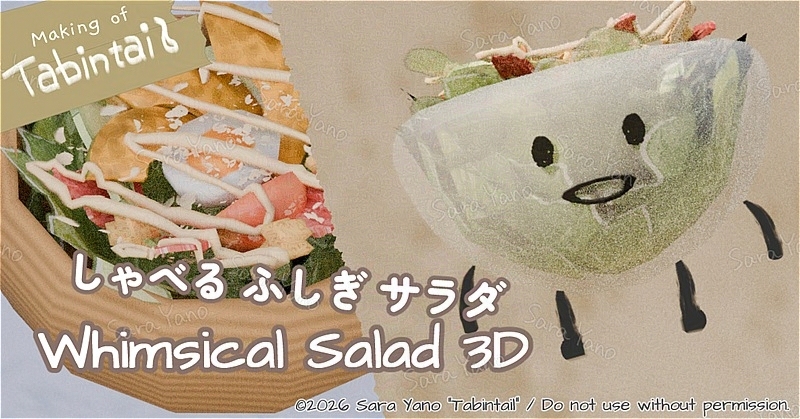
This time, it’s another little detour episode.
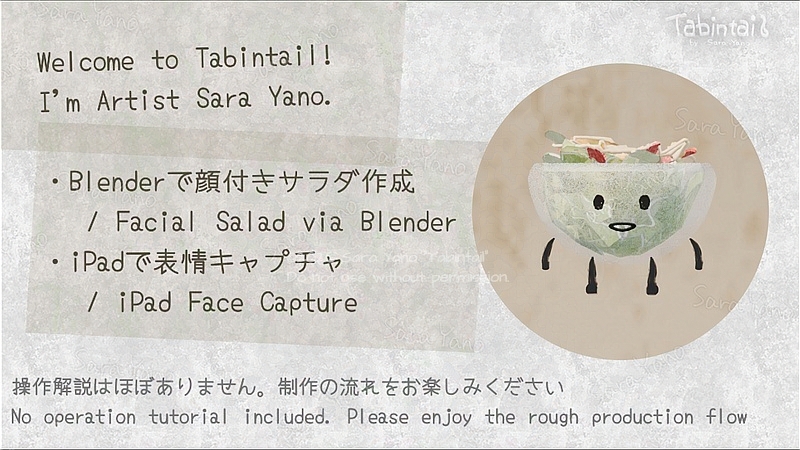
Using the 3D software Blender,
I’ll create my own original avatar (a salad with animated expressions)🥗
I’ll record (capture) my own facial expressions on my iPad
and reflect them on this salad’s face.
※This is not an instructional guide. Enjoy the rough outline of the production process. ☕
Welcome to the world of Tabintail!
I’m Sara Yano, an artist from Toyama (Japan) who loves life and creating.
I’m currently creating an original manga titled ‘Tabintail’ featuring the cat Tabin as the protagonist. I’m in the process of bringing the characters and Worldview in 3D. I’m sharing the creation process on my website and YouTube.
The theme is: “An Artist’s Quest to Create a Manga Without Burning Out.” 🎨
By using 3D software (Blender) together with illustration and manga software (CLIP STUDIO), I’m exploring ways to create manga that I can keep enjoying—without exhausting myself as an artist
- Up until last time
- Creative Journey Musings Notebook
【Tabintail Making #7】- Why salad?
~Adding color to your table.
Enjoy a journey of creativity with speaking salad 🥗~ - First, draw pictures on a flat surface🎨Clip Studio
- 3D. Let’s make 3D boiled eggs and tomatoes too.
- Finish our salad with a fun twist!
Sprinkle on some cheese and drizzle with Caesar dressing. - Bowl making.
- Complete ✨️
- Why salad?
Up until last time
open
Last time, I made pancakes and a Christmas tree
to fully enjoy the Christmas spirit.🎄
Creative Journey Musings Notebook
【Tabintail Making #7】
Why salad?
~Adding color to your table.
Enjoy a journey of creativity with speaking salad 🥗~
I wanted to create an avatar for YouTube uploads.
It might be unnecessary to explain, but…
This character is inspired by my artist name, Yano Sara
— a playful mix on the Japanese word for “plate” (sara) and the word “salad.”
(I wanted to use my own favorites like curry or pudding too,
but matching sounds felt clearer and more fun.)
I absolutely love Caesar salads with meat and croutons crunchy .
Like the kind I find at hotel breakfast buffets.
First, draw pictures on a flat surface🎨Clip Studio
Flat-Leaf Lettuce Making
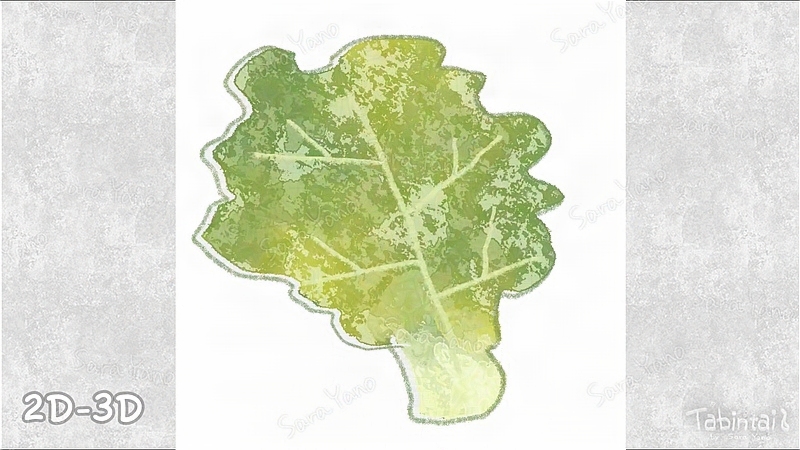
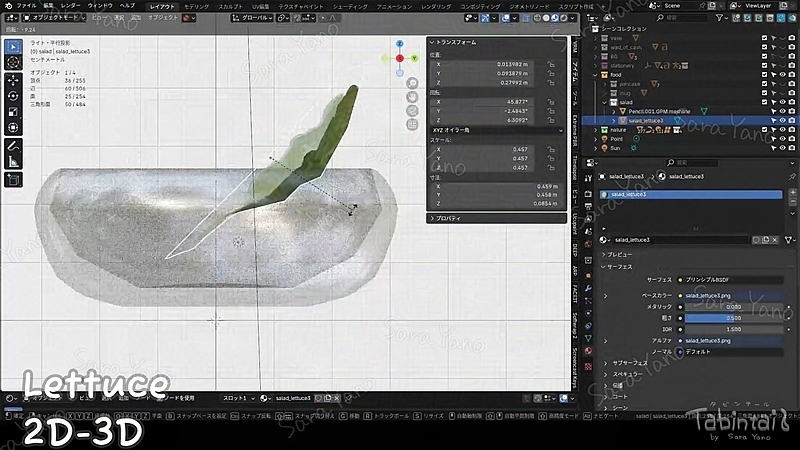
First, I’ll start by drawing in 2D. I’m using CLIP STUDIO for this.
I’ll show how I made the plate later.
Semi-three-dimensional.
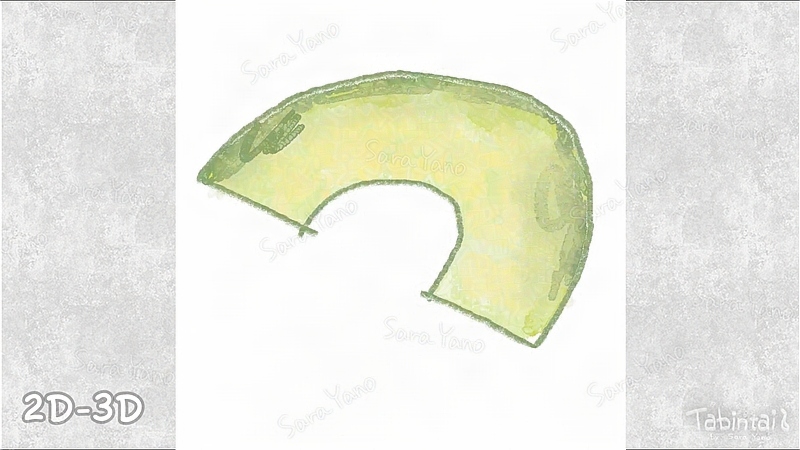
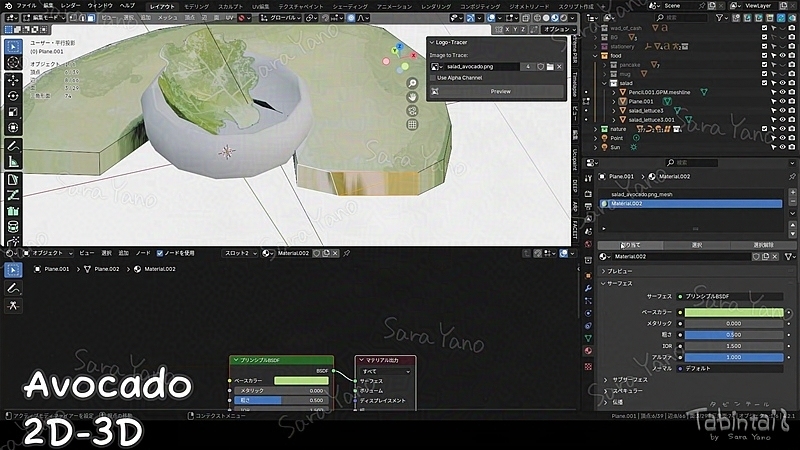
Creating thick materials. Bacon, avocado…
Now, creating semi-3D ingredients with some thickness, like bacon and avocado. These are simple shapes made by adding thickness to 2D illustrations.
Since they’re made from planes, I tried using an add-on called Logo Tracer.
reference:Steven Scott (OnlineRender):
https://www.youtube.com/watch?v=Z2cAWvoH00M
3D. Let’s make 3D boiled eggs and tomatoes too.
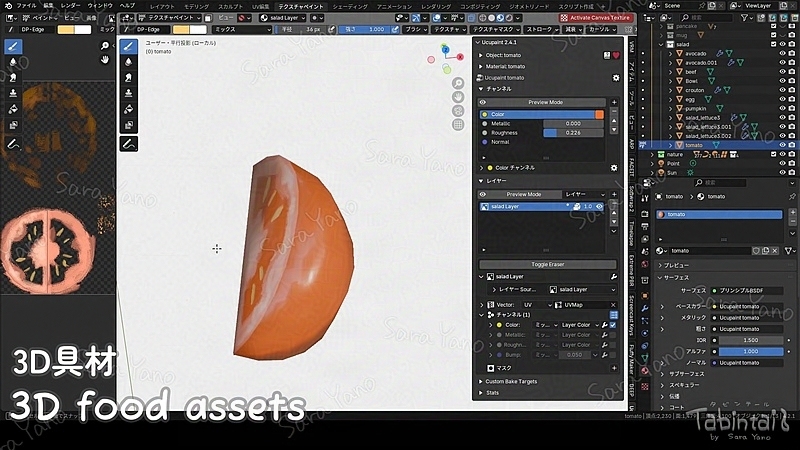
I’m also making 3D boiled eggs and tomatoes.
I’m making them based on spheres.
From this point, I’ll shape them in 3D first,
and then paint the textures directly in Blender
to make them look like real foods.
Finish our salad with a fun twist!
Sprinkle on some cheese and drizzle with Caesar dressing.
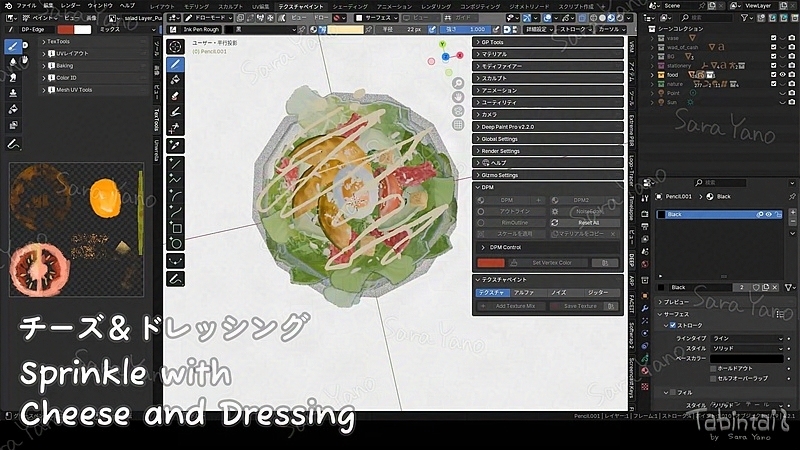
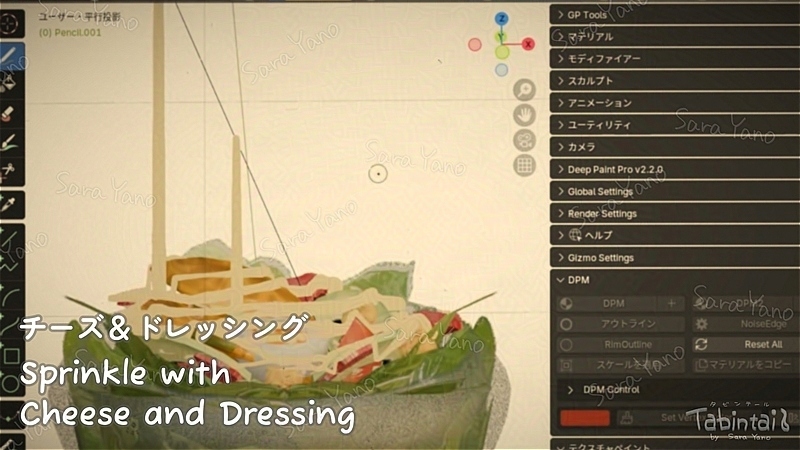
Now for the fun finishing touches.
I’ll sprinkle some cheese and pour on the Caesar dressing.
It’s fun because it feels like actual cooking.
Please ignore the dressing that seems to be defying gravity in some areas!
Bowl making.
For regular salads. Wooden bowl.
This one is for a regular salad.
The wood grain pattern here was generated procedurally in Blender.
I can adjust it using the parameters.
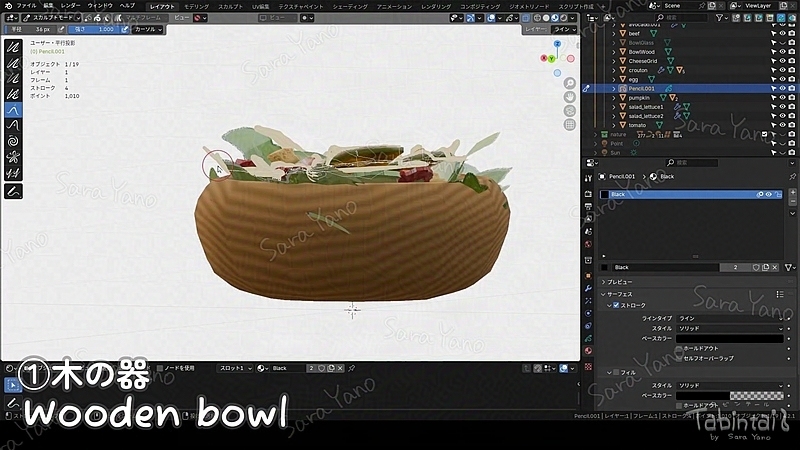
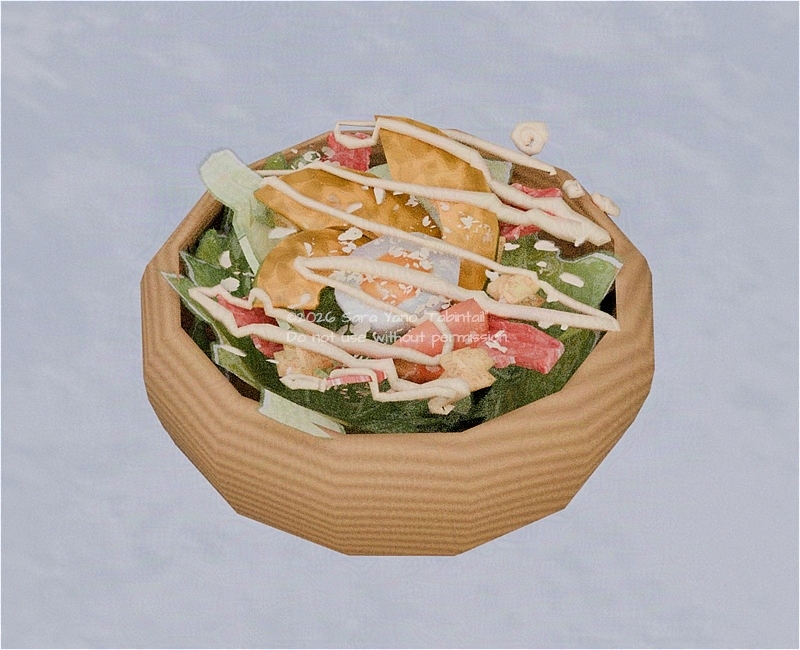
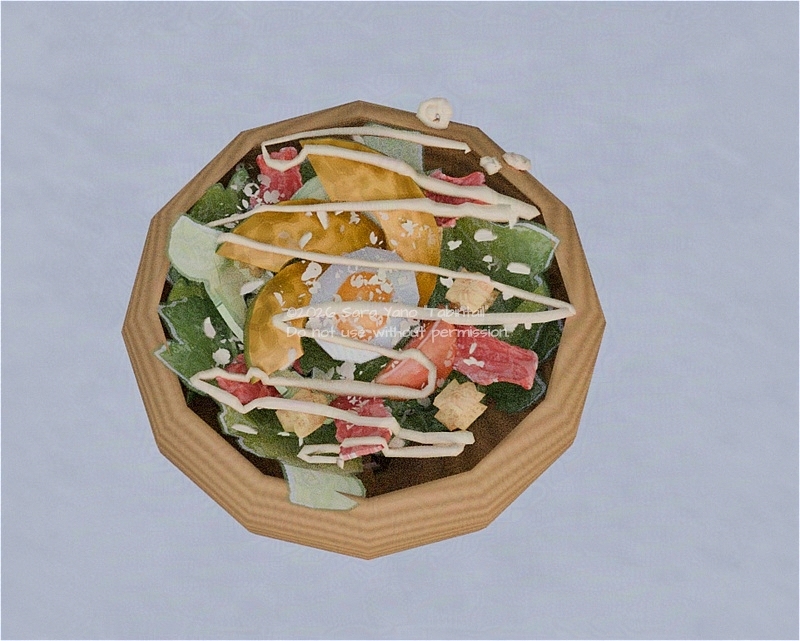
This normal salad will appear as “fiber” in the dining scenes of my manga.
For avatars.
Attach a face and limbs to a frosted glass-style bowl.
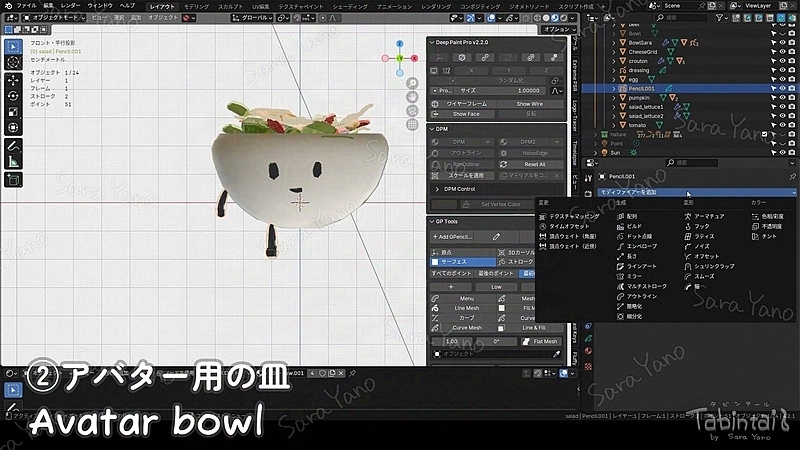
Next is the avatar version.
I’ll add a face, arms, and legs to a frosted glass-style bowl.
I really love this grainy, frosted glass texture.
For facial expression settings, it’s the same as the “Face Rigging: Faceit🧩” section in the past article below.
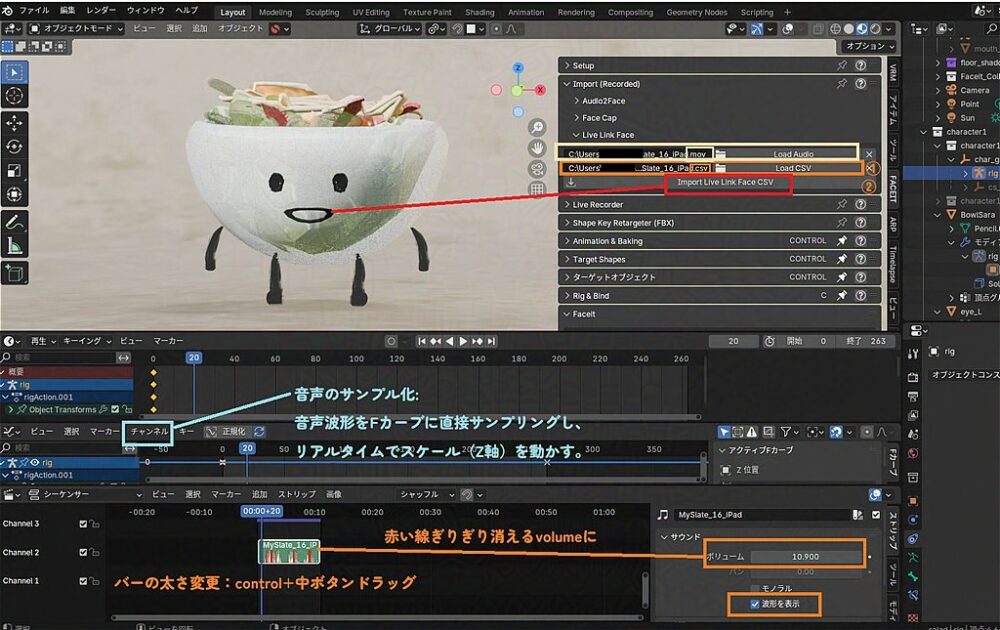
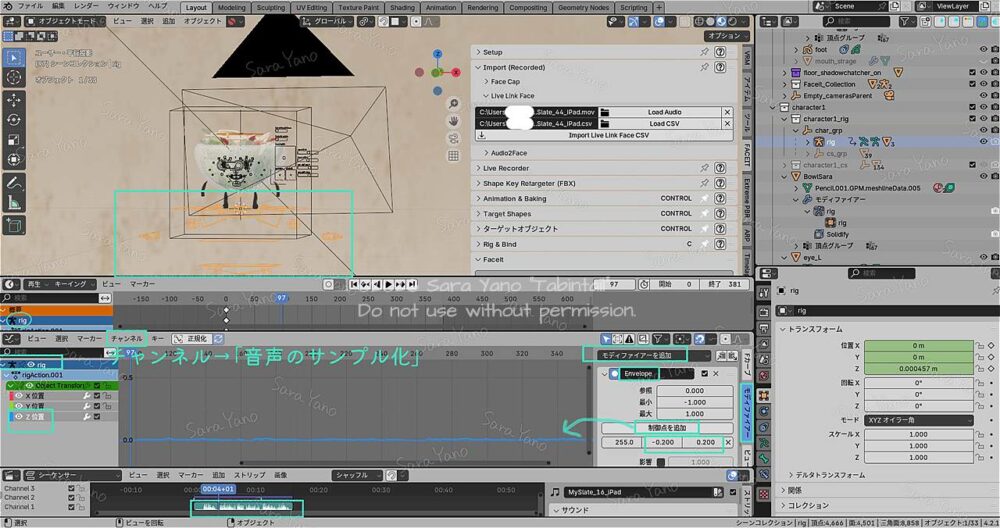
📝Operation guide memo for capturing.
Click to open.
・Record video and audio (capture facial expressions) using the iPad app Live Link faces
・Blender addon FACEIT → Import → Live Link faces
Specify the recorded data. This enables facial expressions to animate.
・Additionally, configure it to move up and down in sync with the audio waveform, as shown in the image.
“Bake Sound to F-Curves” or “Sound to Samples”
reference:
「FaceIt and Livelink Guide – America Imaginaria」Cristobal Cea
「How to Synchronize Sound and Objects in Blender」TomoG’s Jumbled Warehouse
「【Blender】Lip Sync to Audio! An Easy Way to Make Your Characters Talk【Super Simple!】」Kasahara CG
Complete ✨️
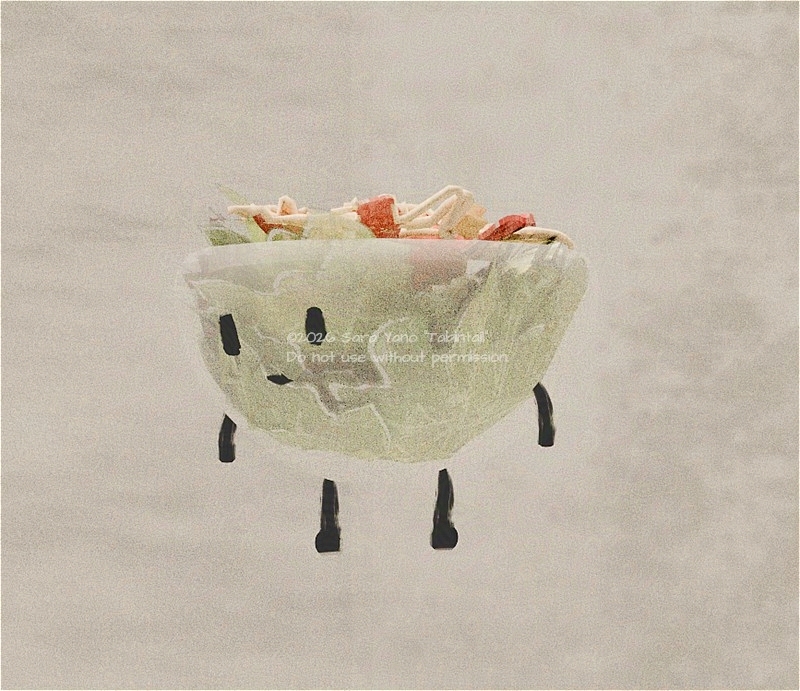
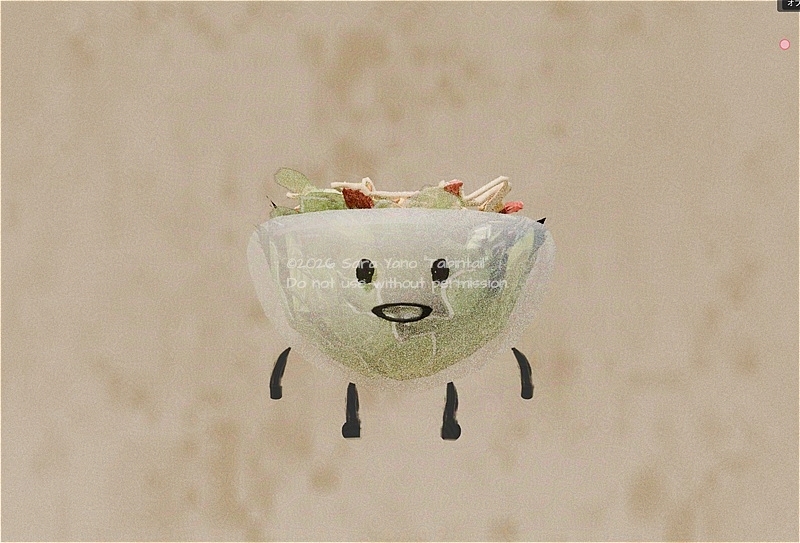
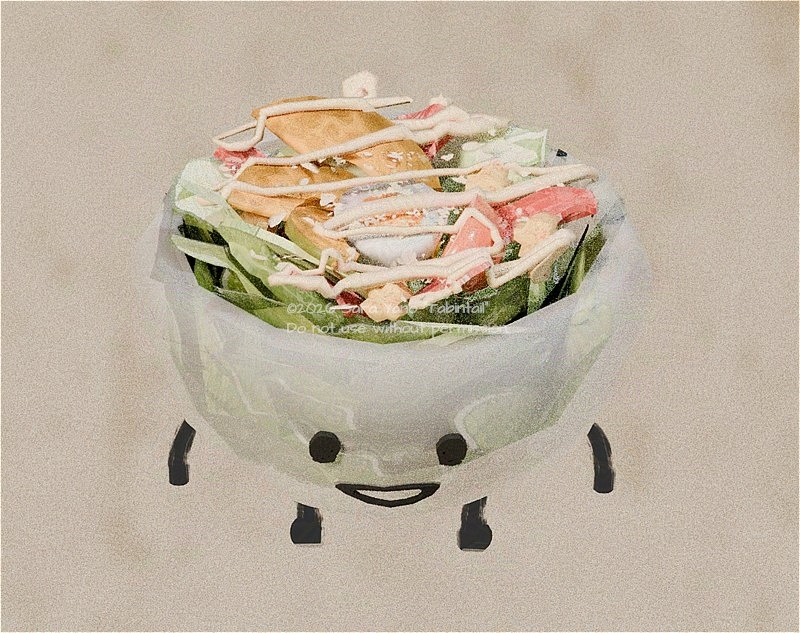
During behavior testing, the mouth wasn’t moving properly in some areas, so I fixed it. 💦 I rebuilt it using a simple basic shape (I think it was the donut-shaped one).
The rigging process to move this character is very rough.
But even so, it’s set up to move along with my speech.
The head movement doesn’t seem to sync up properly, but it doesn’t really matter for the manga story, so I’ll skip it.
Please enjoy this talking salad and the creative journey.🥗
Thank you for your continued support.
There is a YouTube video of Salad talking,
so please check it out if you’re interested.
It’s about 10 minutes long.
Subscribe for notifications on new videos🔔 (notifications optional)
※If you can’t see this video:
It’s temporarily private since the public release is coming up soon. Sorry about that! 💦
制作クレジット/CREDITS
・企画・漫画ストーリー:
矢野サラ
・アートワーク(イラスト・3D・アニメーション):
矢野サラ
・アイデアサポート(思考の整理や発想の補助のための壁打ち):
Perplexity(2025~)
参考文献:『AIを使って考えるための全技術』(石井力重/ダイヤモンド社)
↑書籍掲載のプロンプトも参考にしています。
Planning, Comic Story:
Sara Yano
Artwork (Illustration, 3D & Animation):
Sara Yano
Idea Support (Idea Bouncing for Organizing Thoughts and Stimulating Creativity):
Perplexity (since 2025)
Reference:
All Techniques for Thinking with AI (Rikie Ishii / Diamond, Inc.)
Prompts published in the book were also referenced.
英語版への翻訳/Translation into English
制作スピード向上のため、以下の翻訳ツールを活用しています。
↓翻訳工程順
- 日本語原文制作:矢野サラ
- 英訳:機械翻訳(DeepL or Perplexity or Google AI Studioなど)
- 漫画作中の口調修正:機械翻訳
- 英文最終チェック:矢野サラ
※作者は現在英語学習中です。不自然な表現があればご指摘いただけますと、今後の制作に活かせるのでありがたいです。
The following translation tools are used to speed up the production process.
↓Translation process order
- Original Japanese text produced by Sara Yano
- English translation: Machine Translation
(DeepL or Perplexity or Google AI Studio,etc) - Correction of tone of voice in cartoon work: Machine Translation
- Final check of English text: Sara Yano
I am currently learning English.
I would appreciate it if you could point out any unnatural expressions so that I can make use of them in future productions.

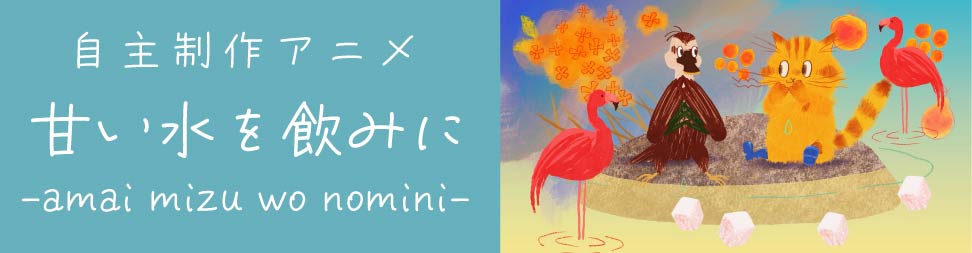
“To Drink Sweet Water” [Independent Animation]
It is a short film lasting 3-4 minutes.
update notification
I will notify you when I make a new post.
*You will receive both the Japanese and English versions. Thank you for your understanding.
↓🔔Push notifications: Receive update notifications
What are push notifications?
・🔔When this site publishes a new post,
push notifications are an automatic feature that delivers updates via your browser to any PC or smartphone
where you have granted permission to receive notifications.
・🚫📲No app installation is required.
・🕒You can receive notifications even if you do not have the site open.
・💻📱You will only receive notifications on devices (PC, smartphone, etc.) where you have given permission.
Notifications will not appear on other devices or equipment where permission has not been granted
↑Press to register. No input required.↑
Press again to cancel. You can also cancel by tapping the bell icon at the bottom of the screen.
If pressing the above button does not cause any change to the button:
Or if you press the 🔔 bell icon at the bottom of the screen
and see messages such as
“Unblock notifications” or “Notifications are blocked”:
For Android smartphones:
- Tap the menu icon (︙) at the top right of the screen
- Go to “Settings” > “Site settings” > “Notifications”
- Find this site and change the setting to “Allow”
- Reload the page 🔄
- Then tap the subscribe button again
For PC:
- Click the icon on the left side of the URL (address bar).
- Look for “Notifications” (🔔).
- If it is set to “Block,”
change it to “Allow.”
If it is not blocked, proceed to the next step. - Reload the page (🔄).
- Please press the registration button above again.
*For iPhone and iPad users: The notification registration button above is not available. Please try the following steps to receive website update notifications.
- Open this page in Safari.
- Tap the “Share” button (square with an upward arrow) at the bottom of the screen.
- Select “Add to Home Screen.”
You will receive push notifications when you open the site from the icon added to the home screen.
🔕Unsubscribe: On iPhone and iPad, you can unsubscribe by going to “Settings” → “Notifications.”
SNS, etc.
Registration and following are always welcome!
About Comments and feedback💬
・welcome!🙏
I may respond to your questions in the article, so please feel free to ask. (Please note that I may introduce your comments.)
・Comments on social media are also welcome!🙏
I would appreciate it if you could tag your posts with “#Tabintail” or the account name below.
@tabin-s.com:Bluesky
@tabin_kurashi:X・Instagram
About replying to comments
It is difficult for me to respond at the moment,
but I am carefully reading all of your comments. Thank you very much!