

Enjoy the Christmas spirit|Creative Journey Notes📒【Tabintail Making #6】3D Manga Blender & Clip Studio
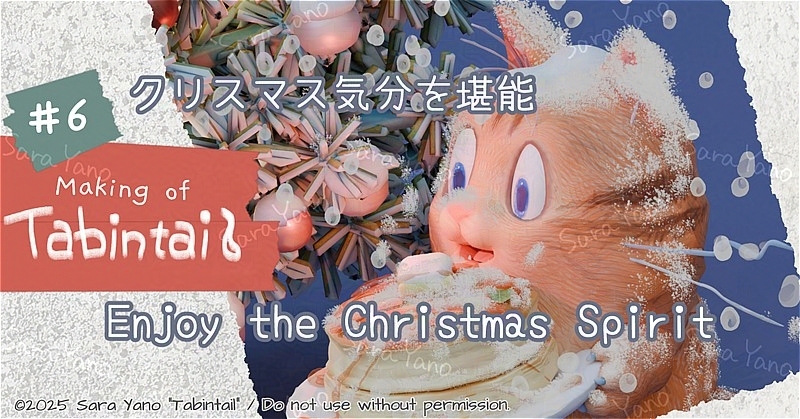
I usually create characters for manga production,
but this time I took a little detour.
I tried making some Christmas-themed items and food motifs
I absolutely love 😋
Watching Christmas movies and dramas on Netflix to warm my heart
during this season has become my annual tradition ☕🎄
Last year, I especially loved “Meet Me Next Christmas” and “Carry-On”✈😊
Welcome to the world of Tabintail!
I’m Sara Yano, an artist from Toyama (Japan) who loves life and creating.
I’m currently creating an original manga titled ‘Tabintail’ featuring the cat Tabin as the protagonist. I’m in the process of bringing the characters and Worldview in 3D. I’m sharing the creation process on my website and YouTube.
The theme is: “An Artist’s Quest to Create a Manga Without Burning Out.” 🎨
By using 3D software (Blender) together with illustration and manga software (CLIP STUDIO), I’m exploring ways to create manga that I can keep enjoying—without exhausting myself as an artist
Up until last time
open
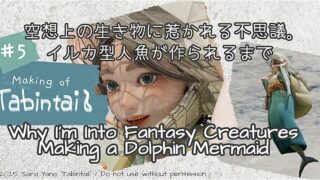
Last time, I created Amagiri, a dolphin-type mermaid, in 3D.🐬
Creative Journey Musings Notebook
【Tabintail Making #6】
I tried making a Christmas tree🎄
It’s still undecided whether I’ll include a Christmas scene in the manga,
but I hope I can.
Either way, having lots of trees won’t be a problem
since I can be used as scenery.
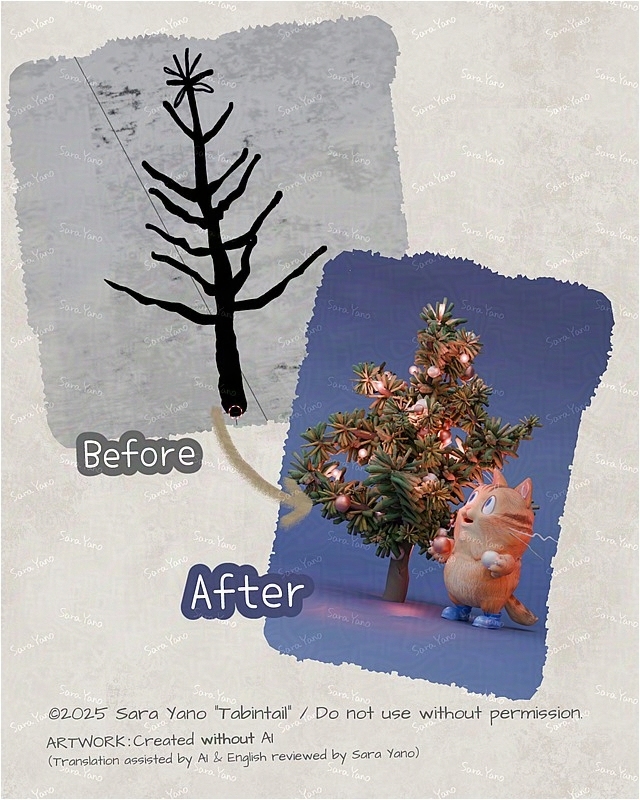
Before & After.
I tried sketching a spindly tree trunk and branches as a test,
using the video below as a reference.
(I’m using an add-on called Deep Paint.
It can turn line drawings into 3D models.)
Reference video: GAKU『Making a Tree with Grease Pencil with Deep Paint』
https://www.youtube.com/watch?v=6XB_08M_DFE
We can customize the branch placement in various ways.
I haven’t quite mastered it yet, so the branches are still a bit sparse.
I’d like to try again when creating a tree with a clean, airy feel.
It seems like it could achieve a natural, organic look.
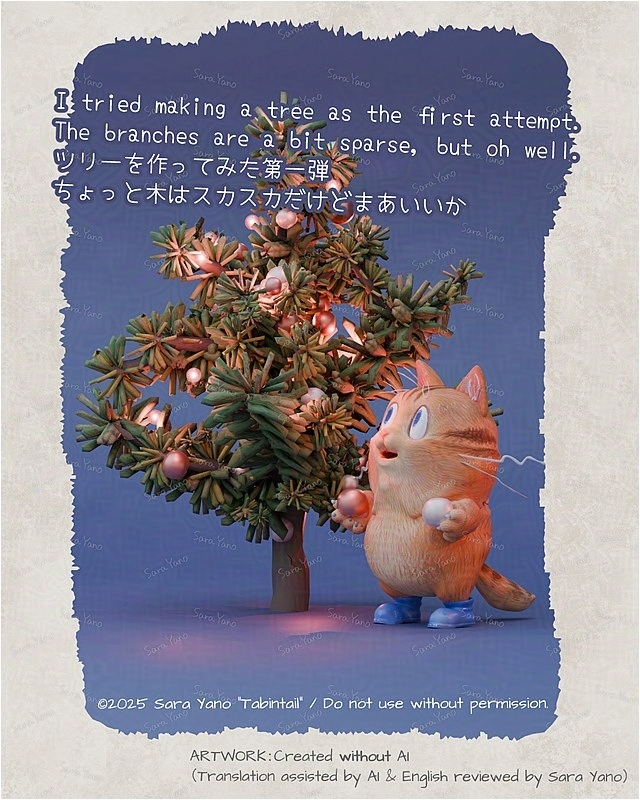
In a way, the slightly awkward look might actually fit the world’s aesthetic.
But I still wanted a more luxurious-looking tree,
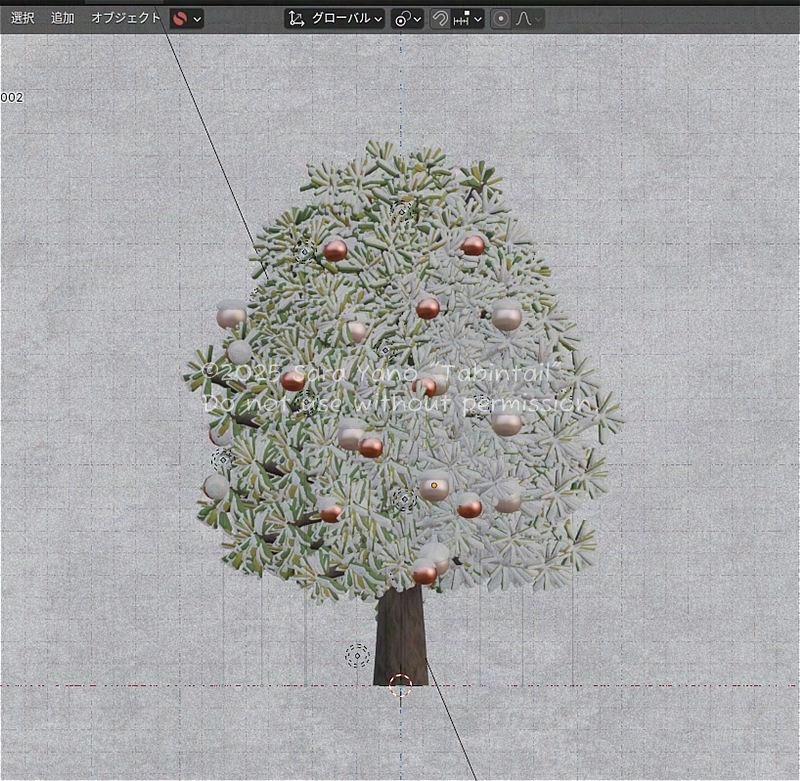
so after that, I tried making a tree with another addon called “Sapling tree gen”.
I reused the branches and leaves I just made and added snow.
Adjusting the values to make it look more like a fir tree
lets me place a nice bunch of them.
This one’s handy too.
The Process of Making 3D Pancakes🥞
Next up: 3D Cooking Time🍳.
The inspiration for sprinkling sugar snow comes from this drawing I made several years ago.
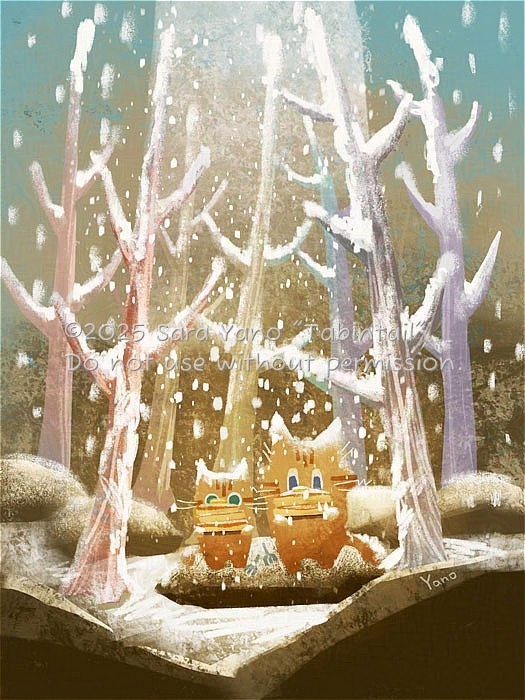
Sugar-cat
1: After painting the base color all over,
I will color it to look more like a pancake.
I love the scorched look—it’s great to see, draw, and eat 🤤.
2: Next, draw lines to simulate dripping syrup,
adding dimension (also using Deep Paint).
3: Specify the base color for the syrup.
Then, set the surface appearance (gloss, reflections, etc.) numerically
to achieve a syrup-like texture.
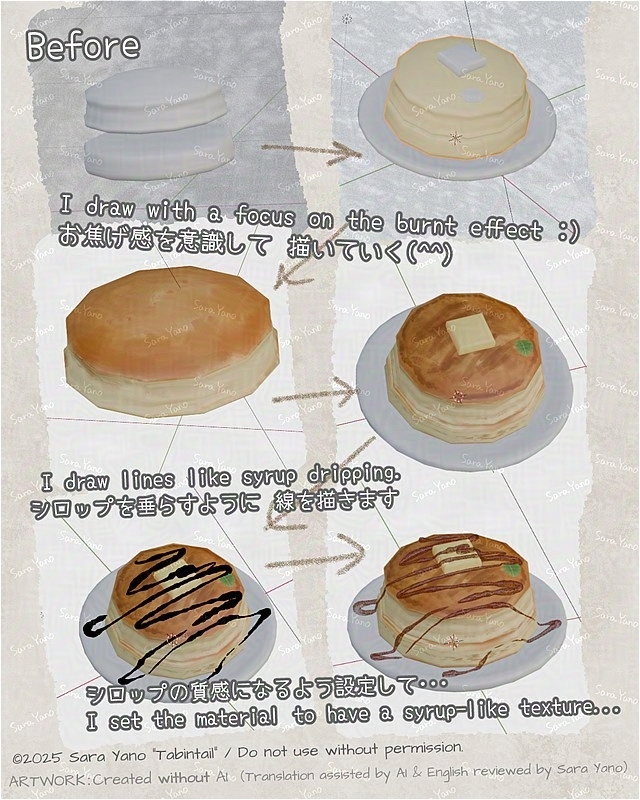
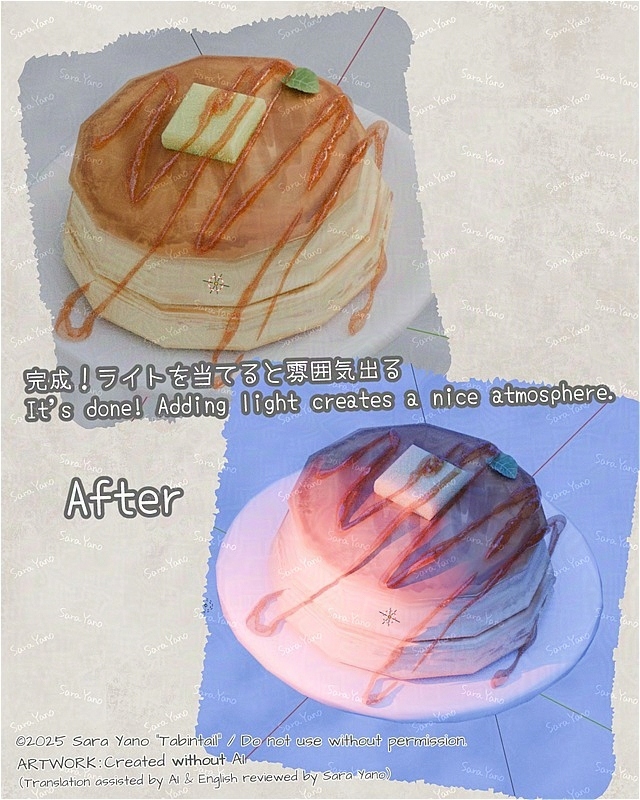
Pancakes done! (^^) They look great when I shine a light on them.
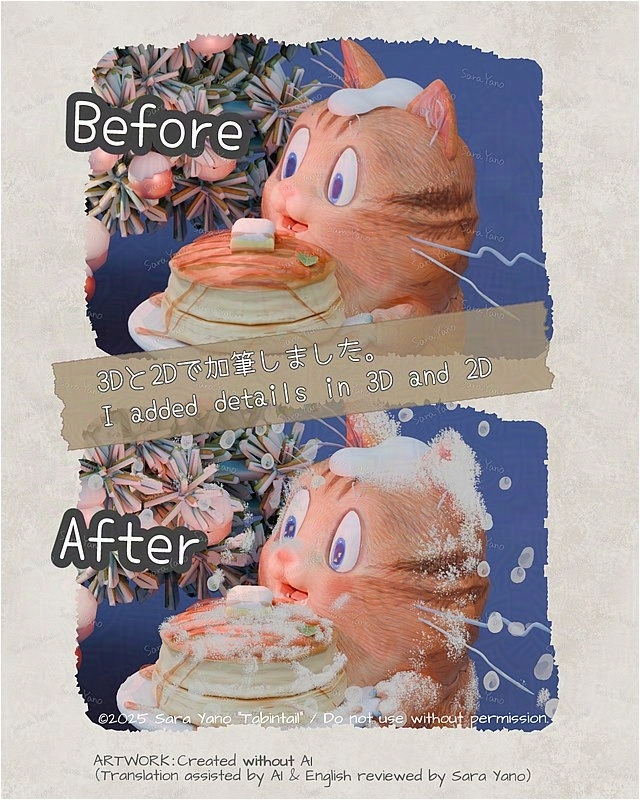
Sketched in 3D to scatter snowflakes,
then finished with 2D expressions and details 🎨🖌️
・Use a 3D brush (Grease pencil) to scatter snow.
(The falling snow looks like peony snow…
Maybe I should have made it powdery like powdered sugar.)
・Export as an image. From here on, it becomes 2D.
・I finished it by drawing details such as facial expressions
using the painting software CLIP STUDIO.
Does it look more lively now?
Finished 🖼️
A night when sugar snow falls. Tabin sprinkled it on pancakes.
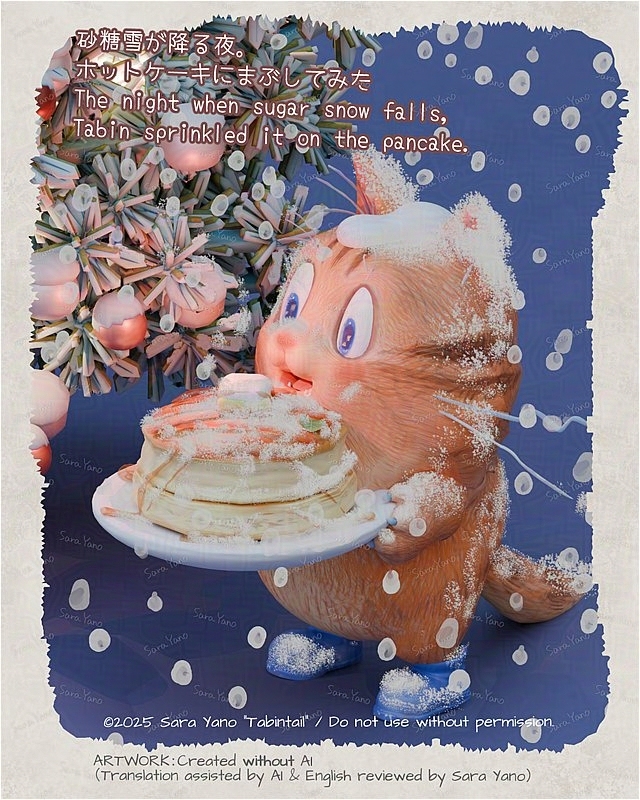
“I keep noticing that snow defying gravity (the stuff clinging to branches)…”
“I wish I’d shown a bit more of the top of the pancake…”
Things like that start bothering me afterward.
But let’s suppress the urge to fix it and move on.
That’s all for this time🎄
Let’s enjoy the Christmas season✨
制作クレジット/CREDITS
・企画・漫画ストーリー:
矢野サラ
・アートワーク(イラスト・3D・アニメーション):
矢野サラ
・アイデアサポート(思考の整理や発想の補助のための壁打ち):
Perplexity(2025~)
参考文献:『AIを使って考えるための全技術』(石井力重/ダイヤモンド社)
↑書籍掲載のプロンプトも参考にしています。
Planning, Comic Story:
Sara Yano
Artwork (Illustration, 3D & Animation):
Sara Yano
Idea Support (Idea Bouncing for Organizing Thoughts and Stimulating Creativity):
Perplexity (since 2025)
Reference:
All Techniques for Thinking with AI (Rikie Ishii / Diamond, Inc.)
Prompts published in the book were also referenced.
英語版への翻訳/Translation into English
制作スピード向上のため、以下の翻訳ツールを活用しています。
↓翻訳工程順
- 日本語原文制作:矢野サラ
- 英訳:機械翻訳(DeepL or Perplexity or Google AI Studioなど)
- 漫画作中の口調修正:機械翻訳
- 英文最終チェック:矢野サラ
※作者は現在英語学習中です。不自然な表現があればご指摘いただけますと、今後の制作に活かせるのでありがたいです。
The following translation tools are used to speed up the production process.
↓Translation process order
- Original Japanese text produced by Sara Yano
- English translation: Machine Translation
(DeepL or Perplexity or Google AI Studio,etc) - Correction of tone of voice in cartoon work: Machine Translation
- Final check of English text: Sara Yano
I am currently learning English.
I would appreciate it if you could point out any unnatural expressions so that I can make use of them in future productions.
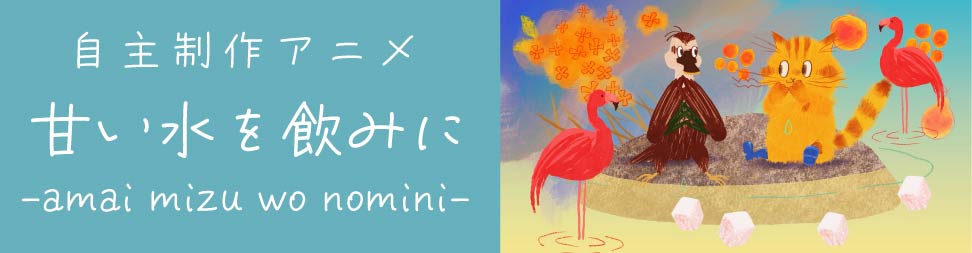
“To Drink Sweet Water” [Independent Animation]
It is a short film lasting 3-4 minutes.
update notification
I will notify you when I make a new post.
*You will receive both the Japanese and English versions. Thank you for your understanding.
↓🔔Push notifications: Receive update notifications
What are push notifications?
・🔔When this site publishes a new post,
push notifications are an automatic feature that delivers updates via your browser to any PC or smartphone
where you have granted permission to receive notifications.
・🚫📲No app installation is required.
・🕒You can receive notifications even if you do not have the site open.
・💻📱You will only receive notifications on devices (PC, smartphone, etc.) where you have given permission.
Notifications will not appear on other devices or equipment where permission has not been granted
↑Press to register. No input required.↑
Press again to cancel. You can also cancel by tapping the bell icon at the bottom of the screen.
If pressing the above button does not cause any change to the button:
Or if you press the 🔔 bell icon at the bottom of the screen
and see messages such as
“Unblock notifications” or “Notifications are blocked”:
For Android smartphones:
- Tap the menu icon (︙) at the top right of the screen
- Go to “Settings” > “Site settings” > “Notifications”
- Find this site and change the setting to “Allow”
- Reload the page 🔄
- Then tap the subscribe button again
For PC:
- Click the icon on the left side of the URL (address bar).
- Look for “Notifications” (🔔).
- If it is set to “Block,”
change it to “Allow.”
If it is not blocked, proceed to the next step. - Reload the page (🔄).
- Please press the registration button above again.
*For iPhone and iPad users: The notification registration button above is not available. Please try the following steps to receive website update notifications.
- Open this page in Safari.
- Tap the “Share” button (square with an upward arrow) at the bottom of the screen.
- Select “Add to Home Screen.”
You will receive push notifications when you open the site from the icon added to the home screen.
🔕Unsubscribe: On iPhone and iPad, you can unsubscribe by going to “Settings” → “Notifications.”
SNS, etc.
Registration and following are always welcome!
About Comments and feedback💬
・welcome!🙏
I may respond to your questions in the article, so please feel free to ask. (Please note that I may introduce your comments.)
・Comments on social media are also welcome!🙏
I would appreciate it if you could tag your posts with “#Tabintail” or the account name below.
@tabin-s.com:Bluesky
@tabin_kurashi:X・Instagram
About replying to comments
It is difficult for me to respond at the moment,
but I am carefully reading all of your comments. Thank you very much!